Check the developer and app ID, not just the search name
Open the App Store product page and check the name Shadowrocket, developer Shadow Launch Technology Limited, and app ID 932747118 against the official icon. The app ID appears at the end of the product link; search ranking and similar names do not verify identity. Even if another listing has a similar name or icon, check these three details before purchasing or downloading. For desktop and Android, open the relevant platform in this site's download guide; installers use paths on this site.
App Store availability depends on your account region and storefront
The app is currently unavailable on the mainland China App Store. If you cannot find it, first check your account's country or region and the storefront for the product page. Your device's system language and the storefront region associated with your Apple ID are separate settings; changing the interface language does not change the storefront. If you need to change your region, review the account requirements and resolve matters such as existing balance, subscriptions, and payment methods before following the system's process. Whether a purchase can be completed and the local-currency price depend on what the current storefront displays.
Handle one-time purchases and reinstall recovery separately
The iPhone / iPad app costs $2.99 one-time on the App Store, with one purchase shared by both devices. The Mac, Windows, Android, and Linux versions are free. After changing devices or deleting the app, sign in with the Apple ID used for the original purchase and find Shadowrocket in your purchased items. If the listing still shows a price, check your account and purchase history before paying again. Restoring the app does not restore all server details, so keep your own subscription source, configuration files, and necessary settings before reinstalling.
An app purchase is not a service plan
Purchasing the client grants the right to use the software; it does not create a server or subscription. This site does not provide, sell, or recommend nodes or subscriptions. The instructions assume you already have your own subscription or server details. Check subscription validity, server availability, and traffic allowances with your own provider. A successful App Store purchase does not confirm any of these. If the list is empty after the first launch, follow the guide to import your existing details instead of repeatedly restoring purchases.
Subscriptions, servers, and Config each serve a different purpose
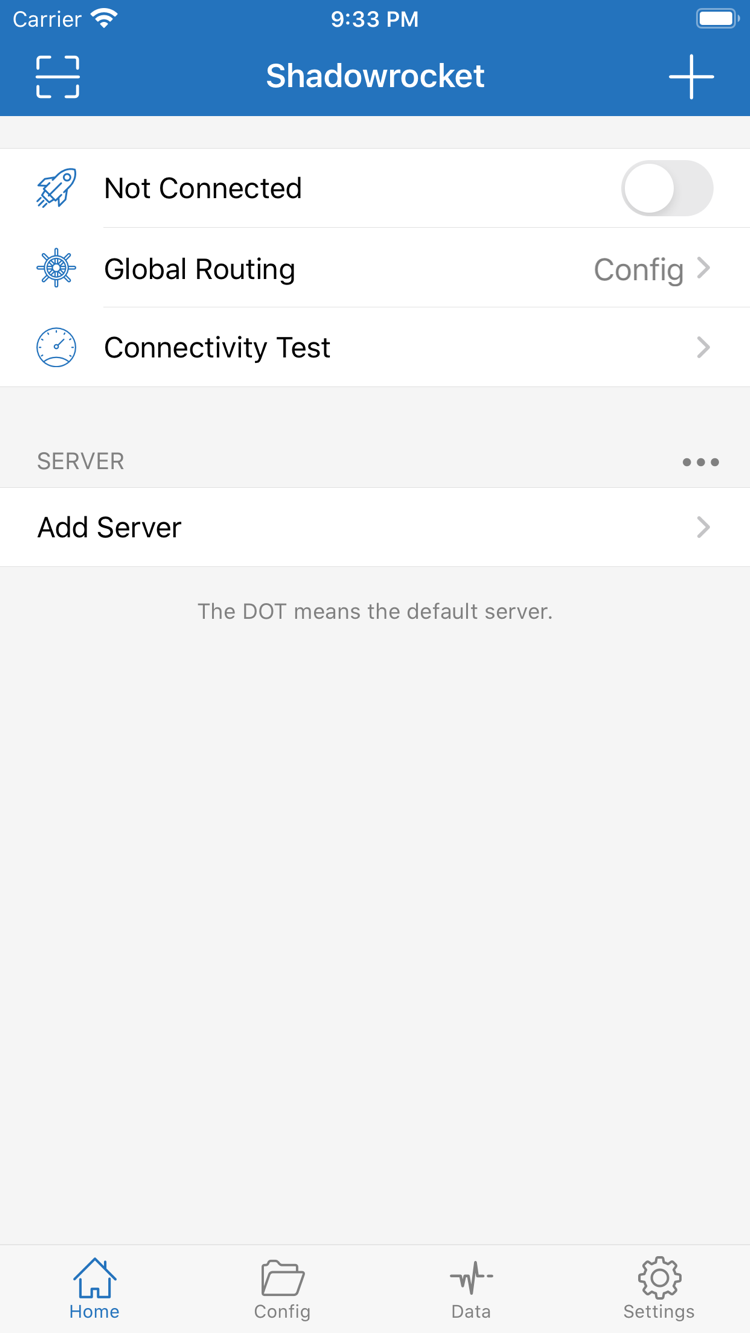
A subscription usually retrieves server details in batches, while manual setup requires entering connection parameters individually. Config manages rules and related settings. After updating a subscription, confirm which server is selected; after switching Config, check Global Routing. To route requests by rules, first confirm Config mode and the active file, then review rule order. Keep a working configuration copy and change only one setting at a time so you can compare results and roll back if needed.
App updates and subscription updates are different operations
Update the iPhone / iPad app through the App Store; for Mac, Windows, Android, and Linux, get the relevant new installer from the download guide. Before updating the app, record your current settings. A subscription update retrieves connection details again inside the app. If a problem occurs after an update, note whether you updated the app, subscription, or Config, then check that layer. Do not assume every issue is caused by the app just because it appeared around the same time, and do not make reinstalling the starting point for every investigation.
Verify a connection with real requests before checking statistics
After the first import, select an existing server, confirm Global Routing, connect, and accept any required system permission prompts. Then visit the targets you actually need. If a test fails, note whether the connection cannot be established, name resolution fails, or only a particular target is unreachable. Data readings help observe traffic flow but cannot prove by themselves that a rule matched correctly. Connectivity Test results also depend on how the test was run. When sharing troubleshooting details, include only necessary fields and remove credentials and personal browsing activity first.